How to analyse your Google reviews, step by step
Reading reviews one by one tells you what the last customer thought. Sorting them tells you what to fix first. Here is the method in six steps, each shown on a real 123Hector screen, on a fictitious venue. Or have it done for your venue, free, with the audit form.
Your free audit
Type your venue's name: 123Hector reads its Google reviews and emails you the audit a few minutes later.
Put all your reviews together, over a period
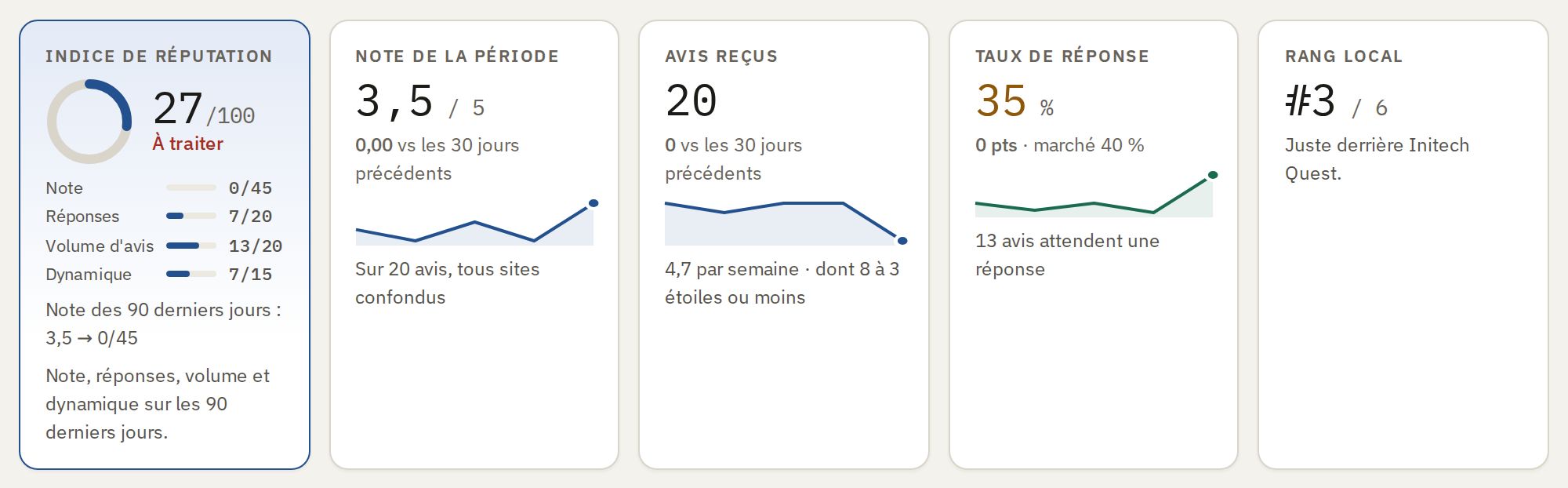
Google, Tripadvisor, Yelp: the same complaint is spread over several sites. Read them together, over a period you choose, never review by review.
- Count the reviews a week: a drop in volume often comes before a drop in rating.
- Count the ones left without a reply: the next customers read them before choosing you.
Sort them by subject
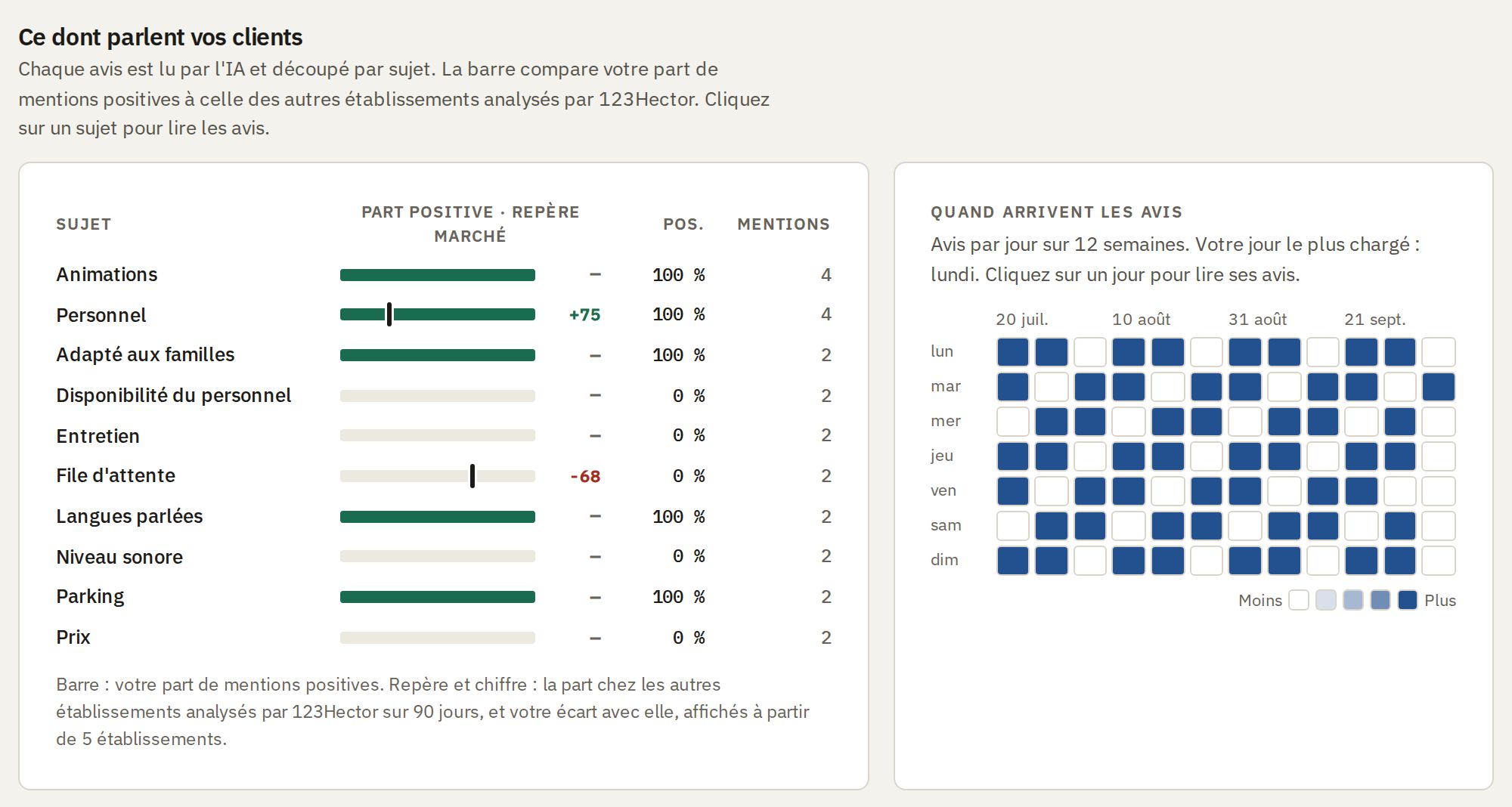
A review talks about several things at once: the welcome, the wait, cleanliness, the price. Count the mentions of each subject, good and bad.
- The same problem hides behind different words: “queue”, “wait”, “forty minutes before it started”. Group them.
- A subject criticised in three reviews out of eighteen is a priority; a single complaint is not yet one.
Compare with the period before
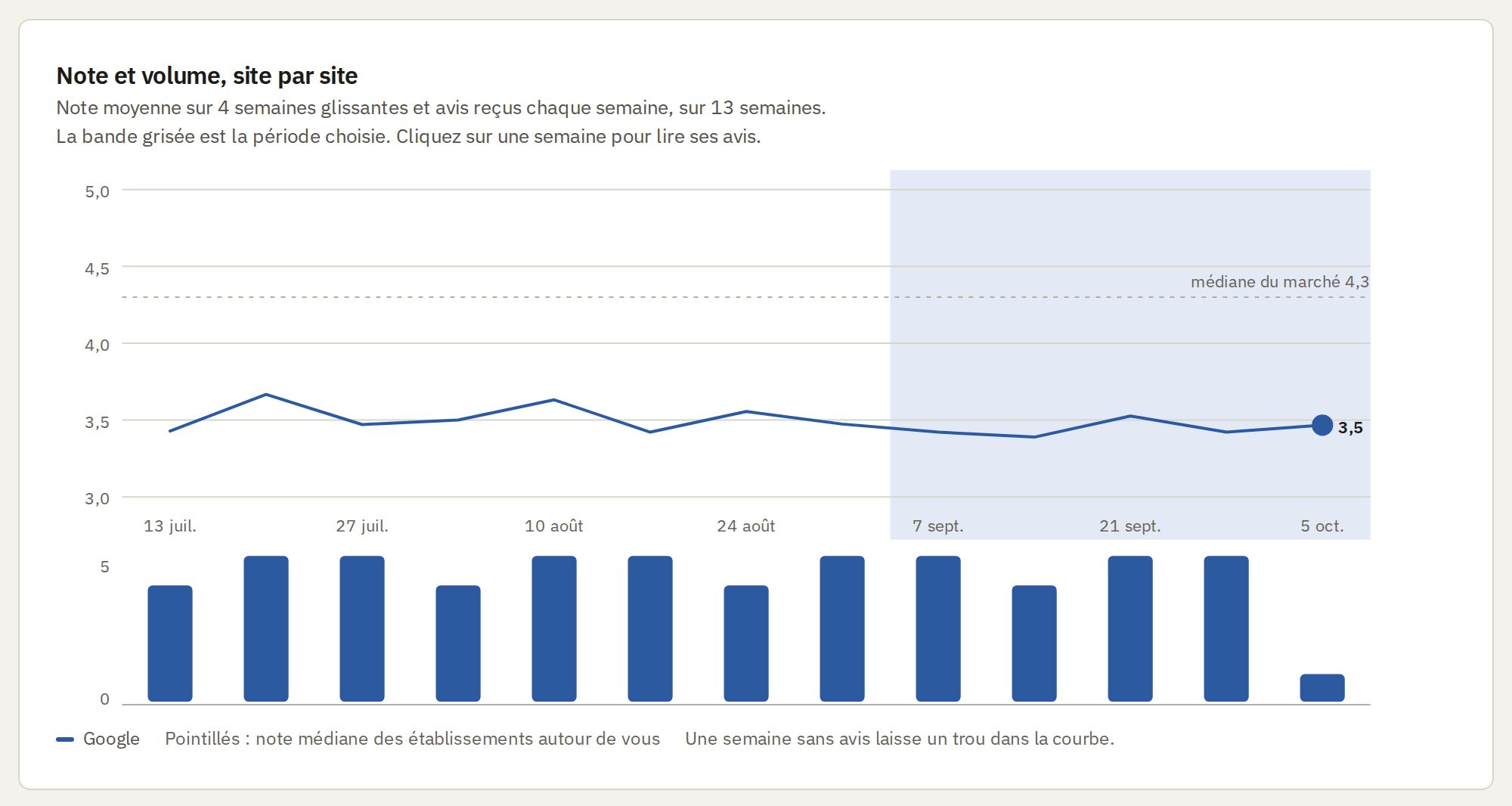
A snapshot says what customers complained about; a trend says whether it is getting better.
- A subject whose complaints are rising is the one to look at first.
- After a fix, the curve tells you whether it worked.
Compare with the venues around you
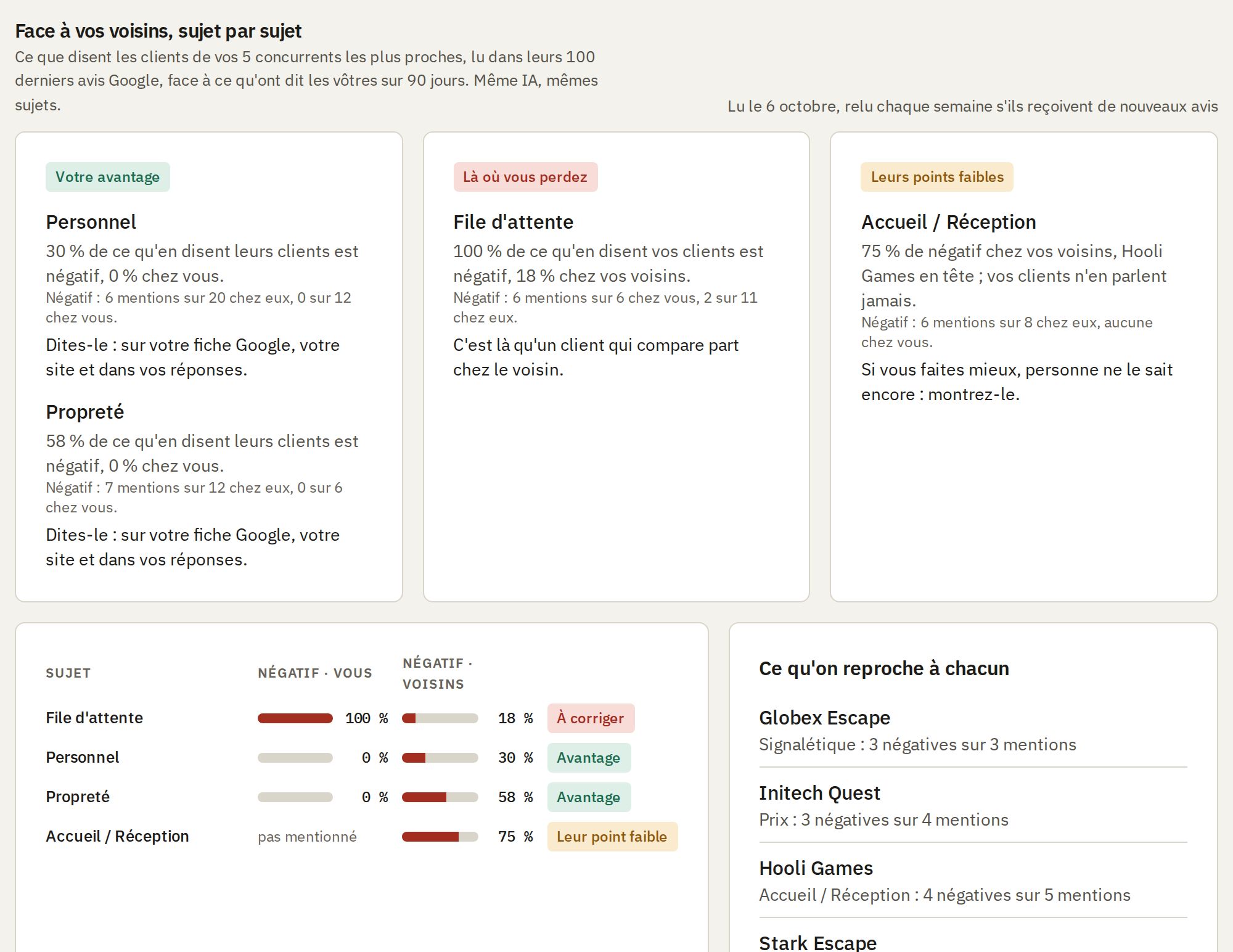
Your customers compare you with your neighbours before they come: do it first.
- If their customers complain about the same thing, it is the trade; if not, it is you.
- What they are praised for and you are not is your next improvement.
Decide what to do first
An analysis is only worth the action that follows. Turn it into a short list, the most urgent first.
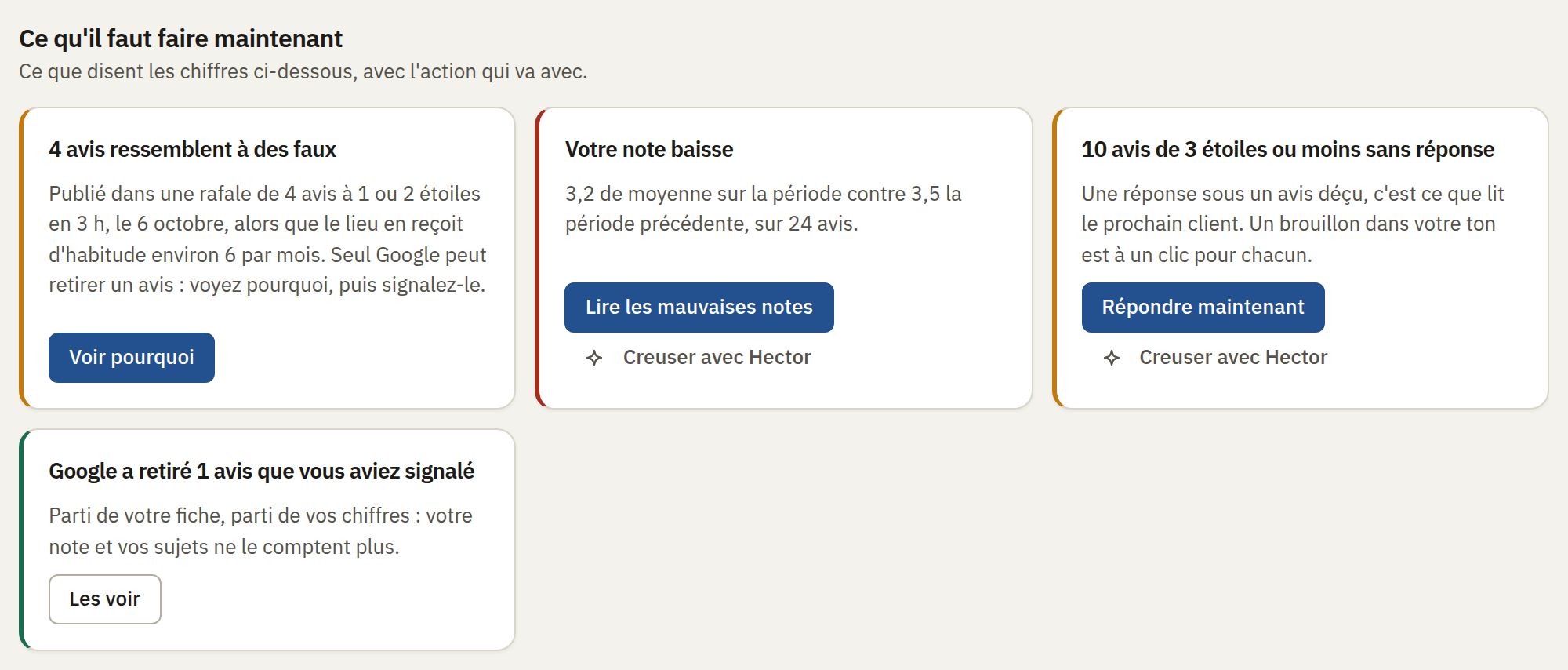
- Bad reviews without a reply first: every future customer reads them.
- Then the subject whose complaints are rising, then the gap with the neighbour just above you.
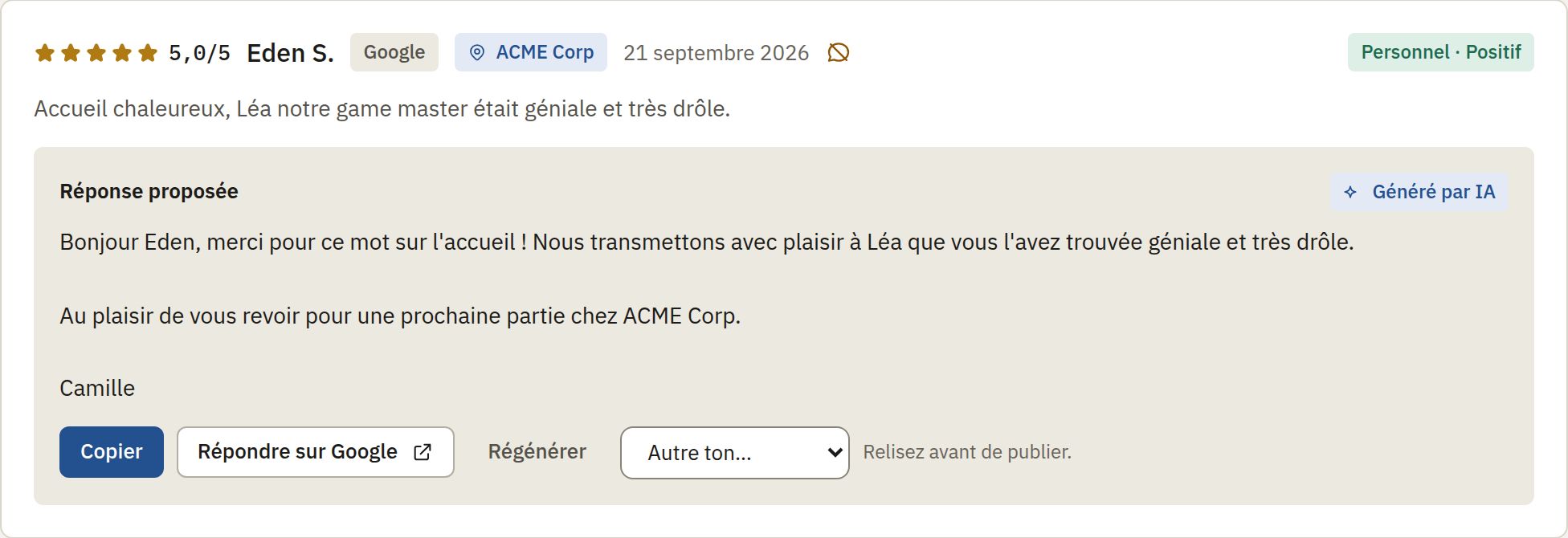
Reply, the bad reviews first
A reply is read by every customer who looks at your listing after it.
- Name what the customer mentioned, thank them, say what was passed on, and promise nothing you have not decided.
- In the customer's language.
Or have it done for your venue, free
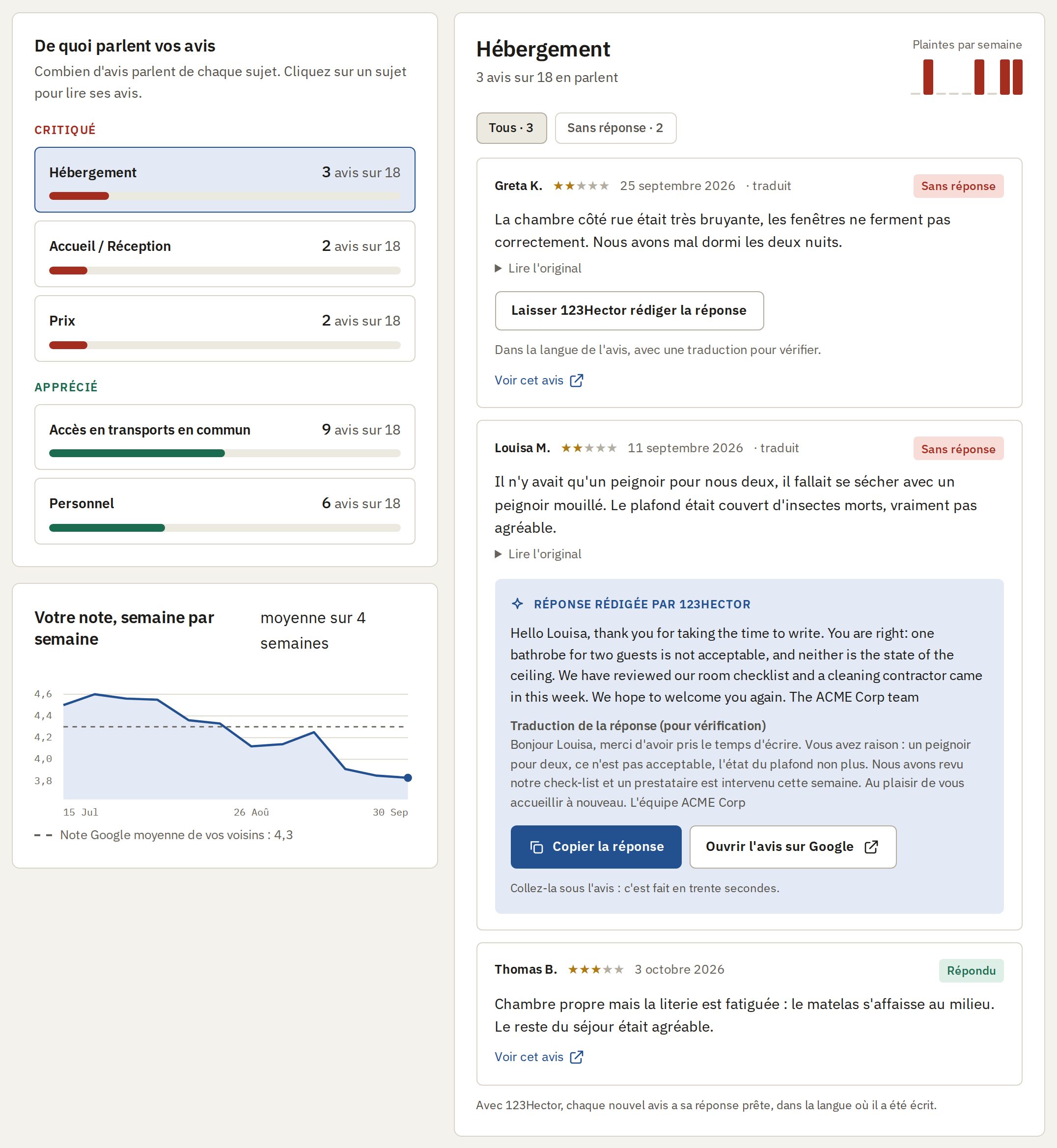
The free audit does steps 1 to 4 on your recent Google reviews, and writes the replies to the ones still unanswered.
What your customers complain about, and the replies already written
- Your recent Google reviews sorted by subject: what is criticised, what is appreciated, and in how many reviews.
- Click a subject to read the reviews behind it.
- Every review still unanswered gets its reply, in the customer's language, with a translation to check it.
Frequently Asked Questions
How many reviews do I need for useful analysis?
Patterns start to emerge with as few as 20-30 reviews per month. The more reviews your venue receives, the more reliable the trends become. Even smaller venues benefit from tracking changes over several months.
Can I analyze reviews from multiple platforms at once?
Yes. 123Hector aggregates reviews from Google and TripAdvisor into a single view. This gives you a complete picture of visitor feedback regardless of where they posted.
What if my venue only gets a few reviews per week?
Even with lower review volumes, tracking is valuable. A few reviews per week still add up over a month. The weekly digest highlights what changed so you can act early rather than wait for problems to accumulate.