Google rating calculator: how many five-star reviews to reach your target
Type the rating and the number of reviews shown on your Google listing, then the rating you aim for. The answer counts the rounding Google applies, which most calculators forget, and shows what one bad review would cost you.
Where to read your figures
On Google Maps or in a Google search, under your venue's name: the rating, the stars, then the number of reviews in brackets.
Your figures
As your Google listing shows them today.
How Google calculates your rating
Your rating is the average of the stars of every review published on your listing, old or recent, each counting the same. Google shows it rounded to one decimal, and says a new review can take up to two weeks to count.
The rounding is what most calculators forget: your listing shows 4.5 as soon as the average reaches 4.45. Aiming at an exact 4.5 overstates the reviews you need.
20 reviews at 3.5: 9 five-star reviews are enough to show 4.0, with an average of 3.97. The usual calculation says 10.
Why the last tenths cost the most
Each review weighs less
With 120 reviews at 4.2, one more five-star review raises the average by 0.007. The more reviews a listing has, the steadier its rating: harder to raise, harder to lose.
Near five stars, the road gets steep
From 4.2 on 120 reviews, showing 4.5 takes 55 five-star reviews; showing 4.8 takes 264. Each new review brings the average closer to five, by less each time.
One bad review outweighs a good one
At an average of 4.5, a one-star review pulls it down much further than a five-star review lifts it: it takes 7 five-star reviews to make up for a single one-star.
How 123Hector helps you gain tenths
The arithmetic leaves two levers: more five-star reviews, and fewer bad ones. The second is the cheaper: at 4.5, a one-star review avoided is worth 7 five-star reviews obtained. 123Hector works on both, on your real reviews, as they arrive.
Fix what costs you stars
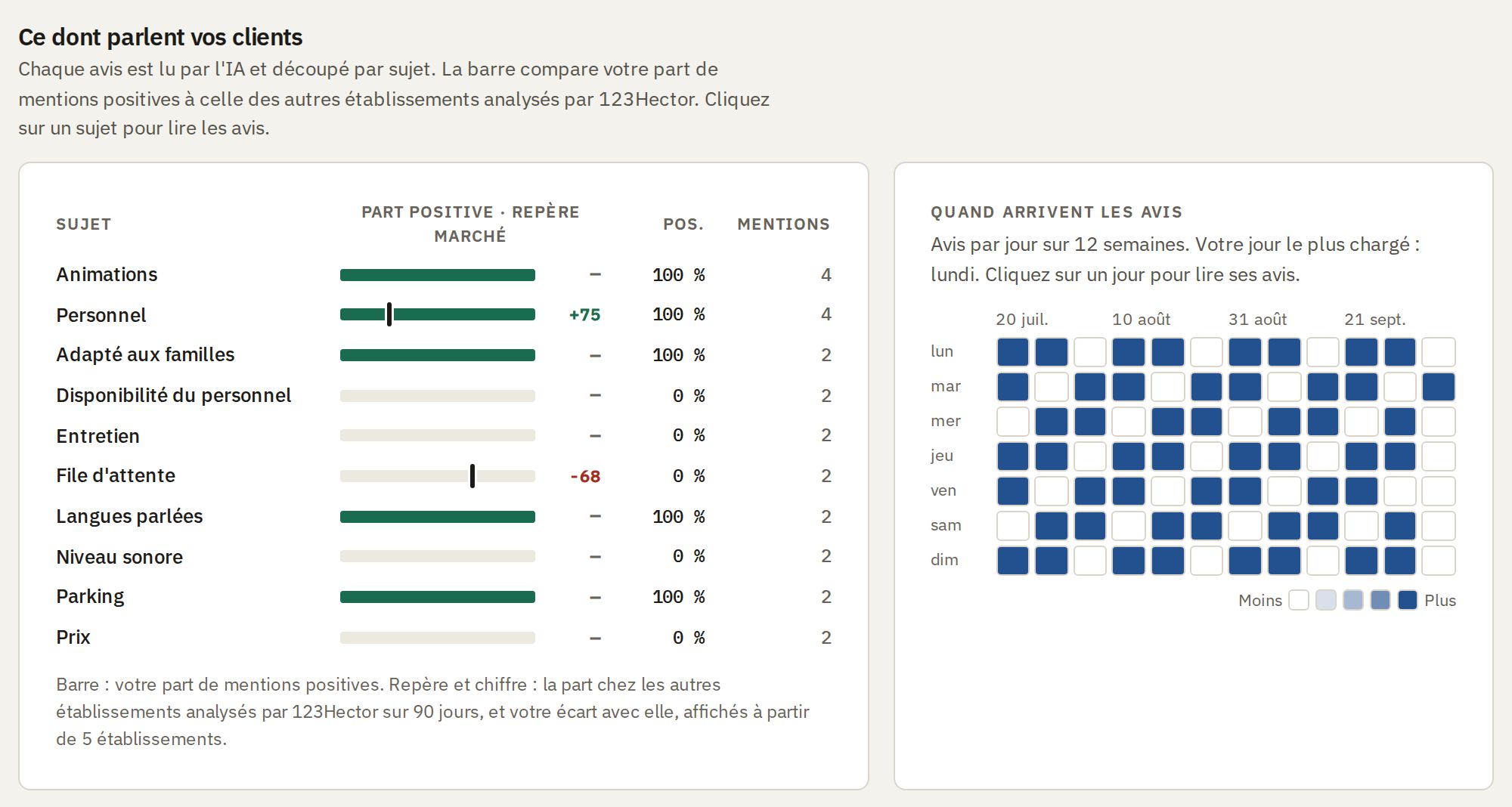
- Every review, on Google, TripAdvisor and Yelp, is sorted into more than 60 subjects: waiting, cleanliness, staff, prices, signage…
- Each subject is compared with the other venues 123Hector analyses: you see where you lose stars, not only that you lose them.
- Every Monday, the three things to do first: the cause fixed this week is the one-star review that never gets written.
Answer a bad review before it does damage
- An email the day a review of three stars or less arrives, on every plan, with its reply a click away, written in your voice and in your customer's language.
- The next customers read your answer under the complaint, and a customer who gets a sincere answer sometimes revises their rating.
- What the review complains about reaches you the same day: fixed before a second customer writes it.

Know where the next tenth is
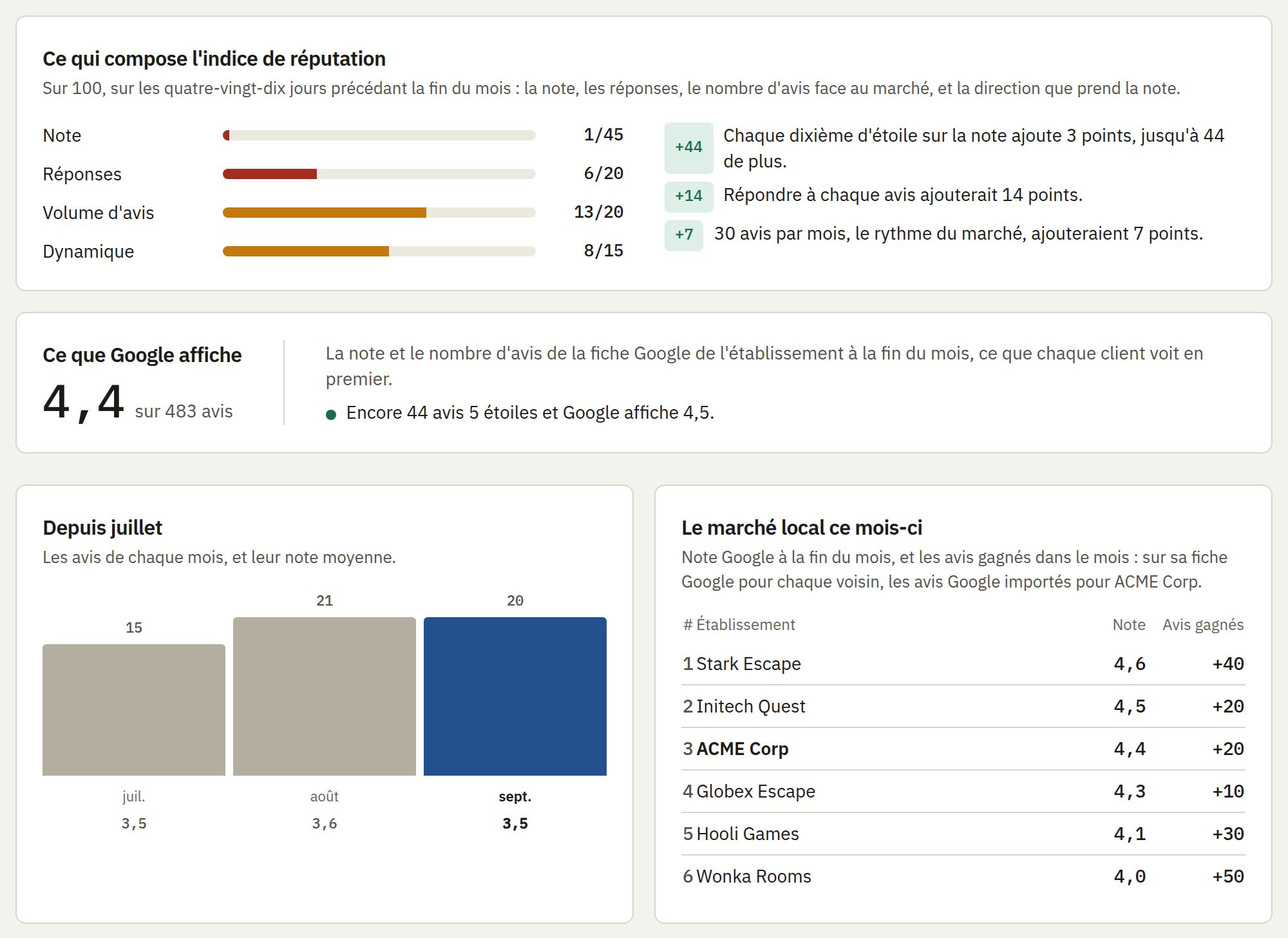
- On the 1st, the monthly report shows the rating Google displays and how many five-star reviews it takes to show the next tenth: the same calculation as this page, on your listing's real figures.
- Your neighbours ranked by rating, with the reviews each gained in the month: you see who is climbing, and how fast.
- What each lever would add to your reputation index: replying to every review, the market's review pace, a rising rating.
Getting the reviews you need
Most satisfied customers never think of leaving a review until somebody asks. The reviews a calculator counts come from asking every customer, at the right moment, with the shortest road to the review window.
- Ask everyone at the end of the visit, then by text message or email the day after, with the link that opens your review window directly.
- Put the QR code where people wait and where they leave: the counter, the tables, the exit.
- Reply to every review, good and bad: the next customers read the replies, and a bad review answered well reassures them.
- Never buy reviews, never reward them, never write them yourself: Google removes them, and consumer law bans fake reviews (in France, they are a misleading commercial practice).
Frequently Asked Questions
Why has my rating not moved after a five-star review?
Two reasons. Google says a new review can take up to two weeks to count in the rating. And with many reviews, one review moves the average by a few thousandths: the rating shown changes only when the average crosses a rounding line. The calculator shows how much each review adds.
How exact is the answer?
The rating Google shows is itself rounded, so your true average lies within 0.05 of it. The calculator starts from the middle of that range: the real answer can differ by a few reviews, more on a listing with many reviews.
Do old reviews count less?
Not in the rating: Google averages every published review, whatever its age. Customers, however, read the most recent first, and a listing whose last review is months old looks abandoned.
Can I have a bad review removed to raise my rating?
Only Google removes reviews, and only those that break its rules: spam, fake reviews, off-topic or offensive content, conflicts of interest. You can report one from your Google Business Profile. A review that is merely negative stays; a calm, precise reply is what limits its weight.
Is it free? What happens to my figures?
Free, without an account or an email address. The figures you type only serve to work out the answer: the calculator stores nothing and calls no outside service.
Source for how the rating is calculated: Google Business Profile Help, “Review scores”