A week with 123Hector: what it does with your reviews, Monday to Sunday
The Monday email, the alert on the day a bad review lands, the reply already written, the competitors, the month’s report: a week in the life of a fictitious venue, ACME Corp, screen by screen.
Also available in: French
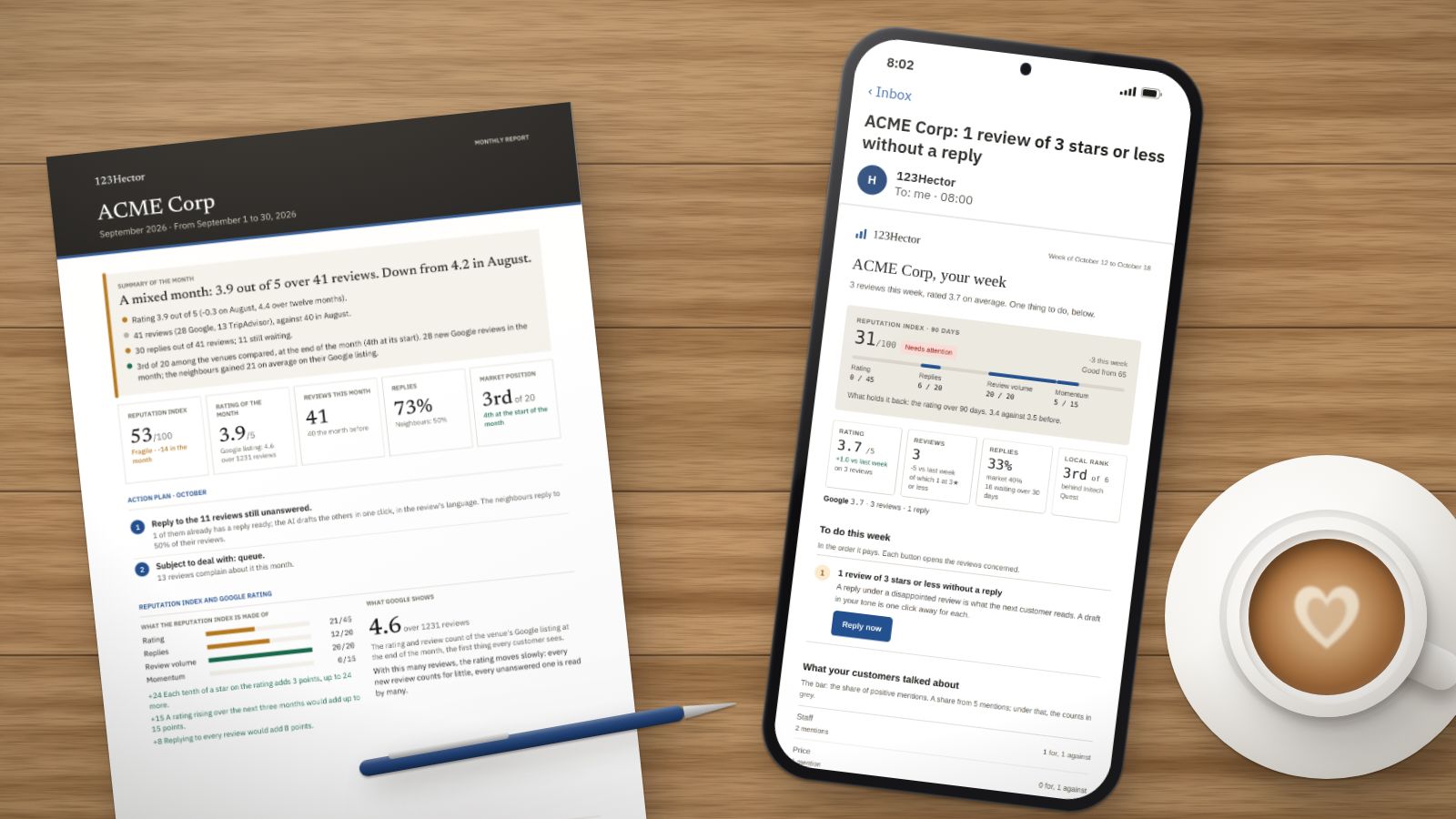
123Hector reads a venue’s Google, Tripadvisor and Yelp reviews, says what to fix first, compares it with the venues around it and drafts a reply to every review, in its own voice. Rather than a list of features, here is a week at ACME Corp, the fictitious venue of all our screenshots.
Monday, 8 am: the week in one email
The first screen of the week is not a dashboard: it is an email. It arrives on the day and at the hour you choose, one per venue.
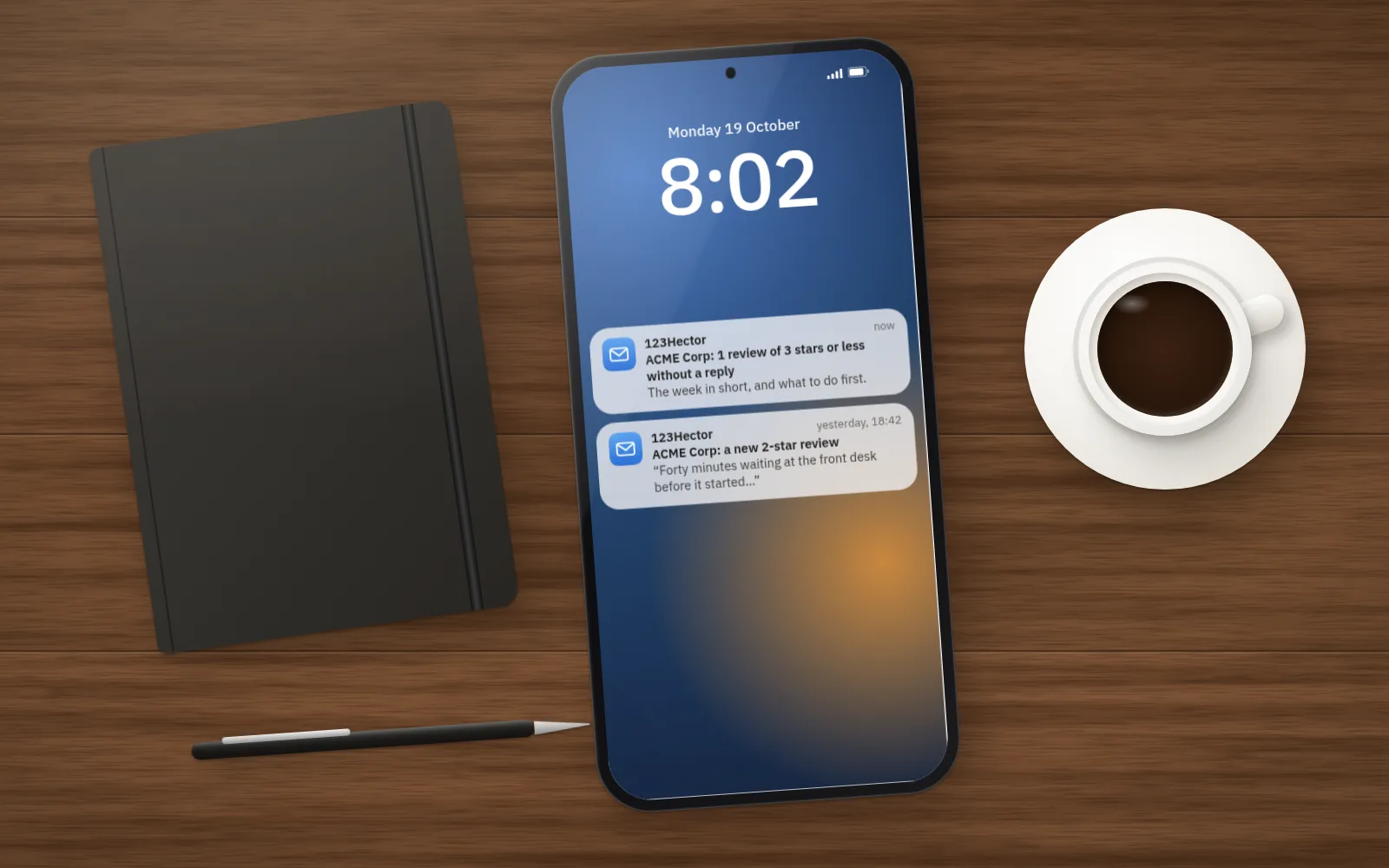 Monday morning, the week’s digest. Just below, yesterday’s alert.
It fits on a phone screen:
- the reputation index out of 100, and what holds it back;
- the week’s figures, against the week before and against the venues around you;
- the three things to do first, each with its button;
- the subjects your customers talked about, and the most urgent review, its reply already drafted.
Sunday evening: a 2-star review
A customer waited forty minutes at the front desk and wrote about it. The same day, an email arrives with the review and a link to its reply, ready to copy. The alert goes out for every review of 3 stars or less, on every plan.
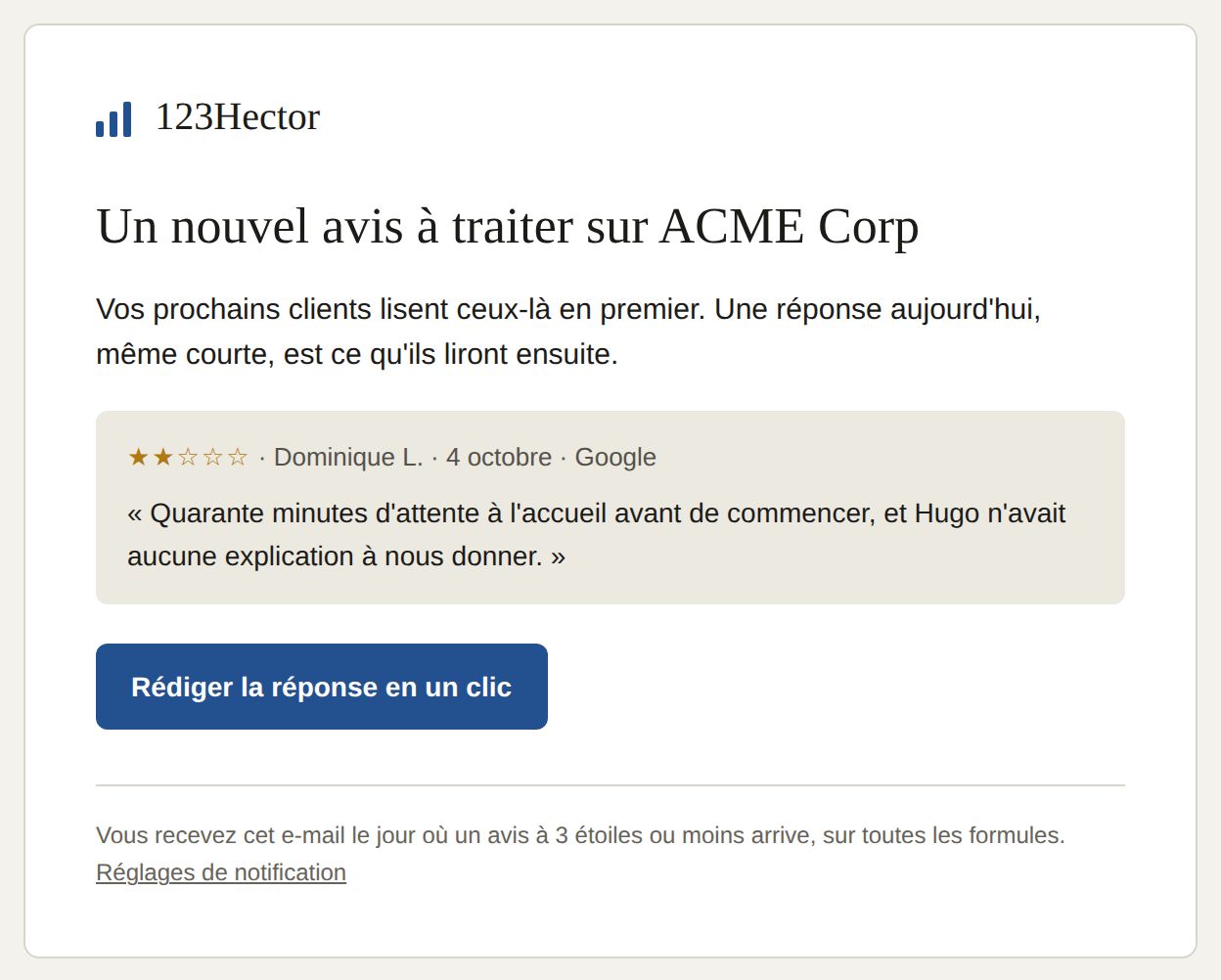 The alert: the review, and the reply one click away. (Our screenshots are of the French app.)
Tuesday: replying in two minutes
Every unanswered review has its draft. It is written from what the review says, in its language, and in your voice: your greeting, your level of formality, your signature, taken from the replies you have already published. A team member praised by first name is thanked by first name; one criticised is never named in public. The reply promises nothing you have not decided.
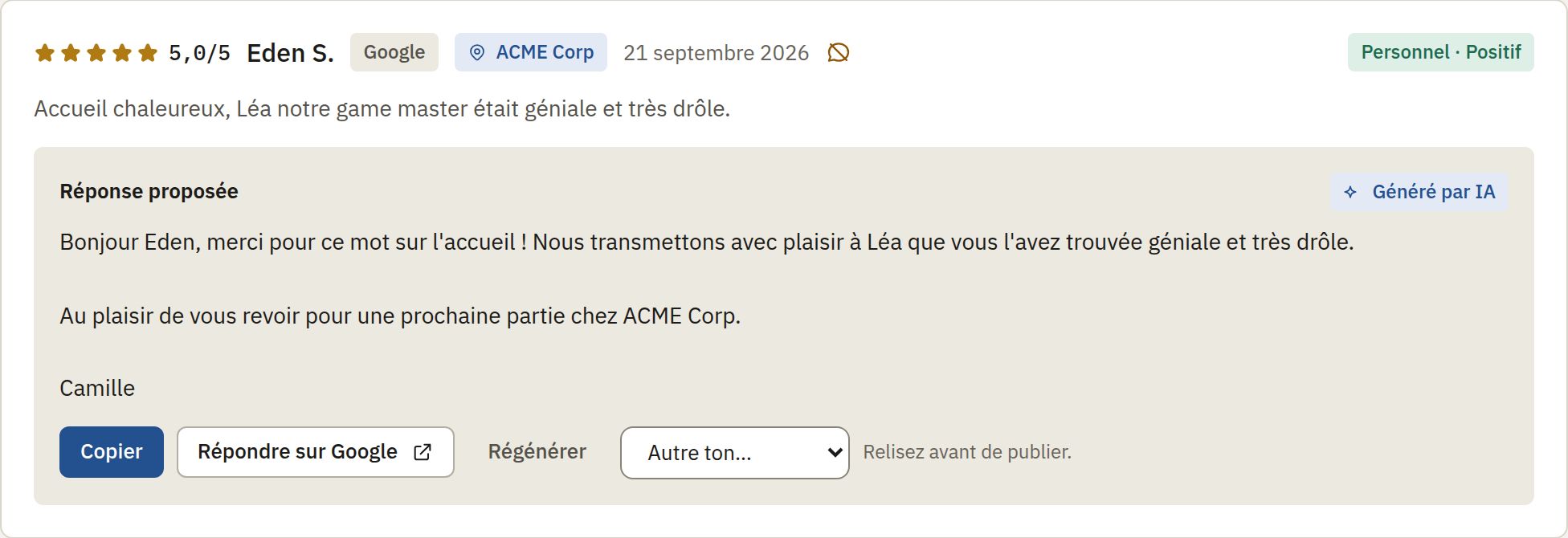 The drafted reply, to read before publishing.
Nothing is published without your click. If your Google listing is connected, “Publish on Google” posts the reply under the venue’s name; otherwise “Copy” then “Reply on Google” opens the right page. Tripadvisor and Yelp replies are posted the same way, from their own sites.
Wednesday: what keeps coming back
Every review is read and split into subjects: the welcome, the wait, cleanliness, price, noise and some forty others, each judged positive or negative. Under the figures, cards say what they mean, the most urgent first: a falling rating, a subject whose complaints are rising, bad reviews without a reply, a competitor collecting more reviews than you.
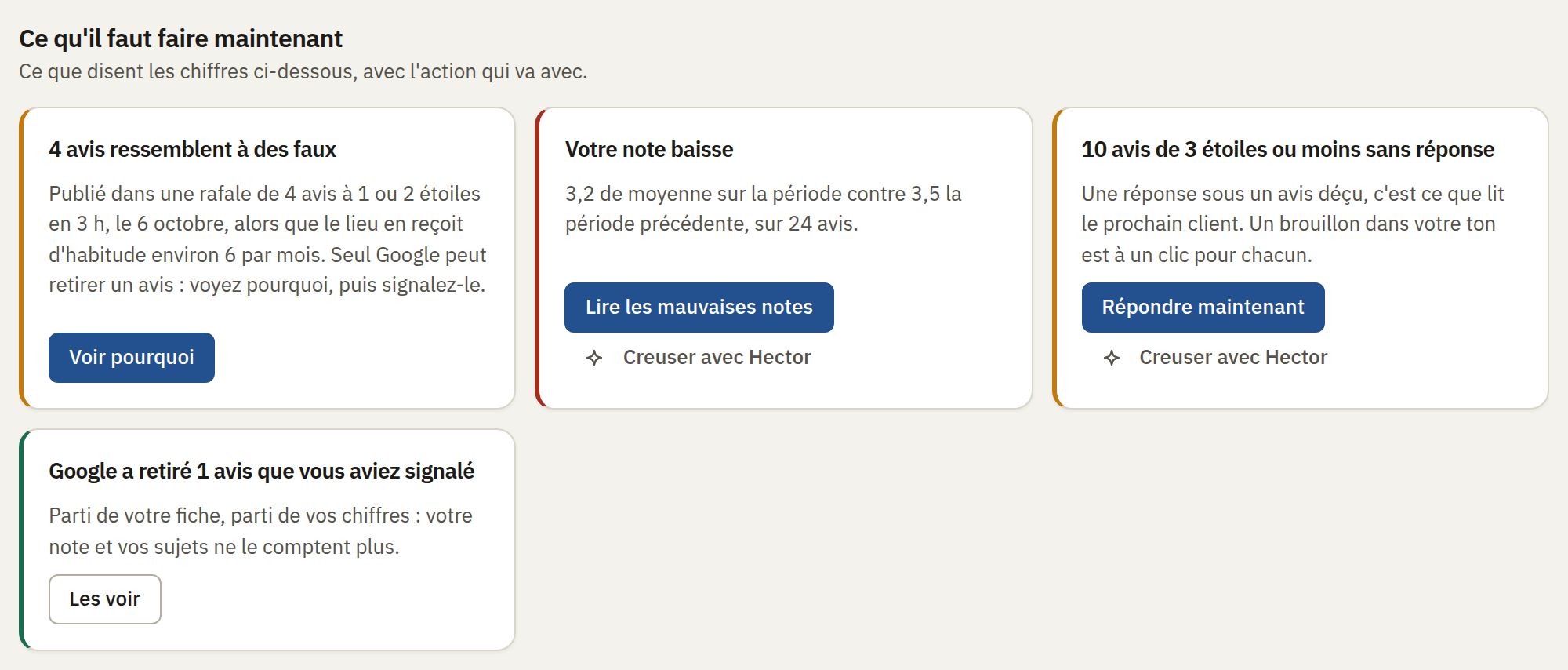 Each card is one fact, and the action that goes with it.
Thursday: the neighbours
Your customers compare you with the venues next door before they come. Every night 123Hector reads those of your Google category around your address: their rating, number of reviews, pace, replies. It also reads their recent reviews to compare, subject by subject, what their customers and yours complain about. We detail the method in this article on competitors’ reviews.
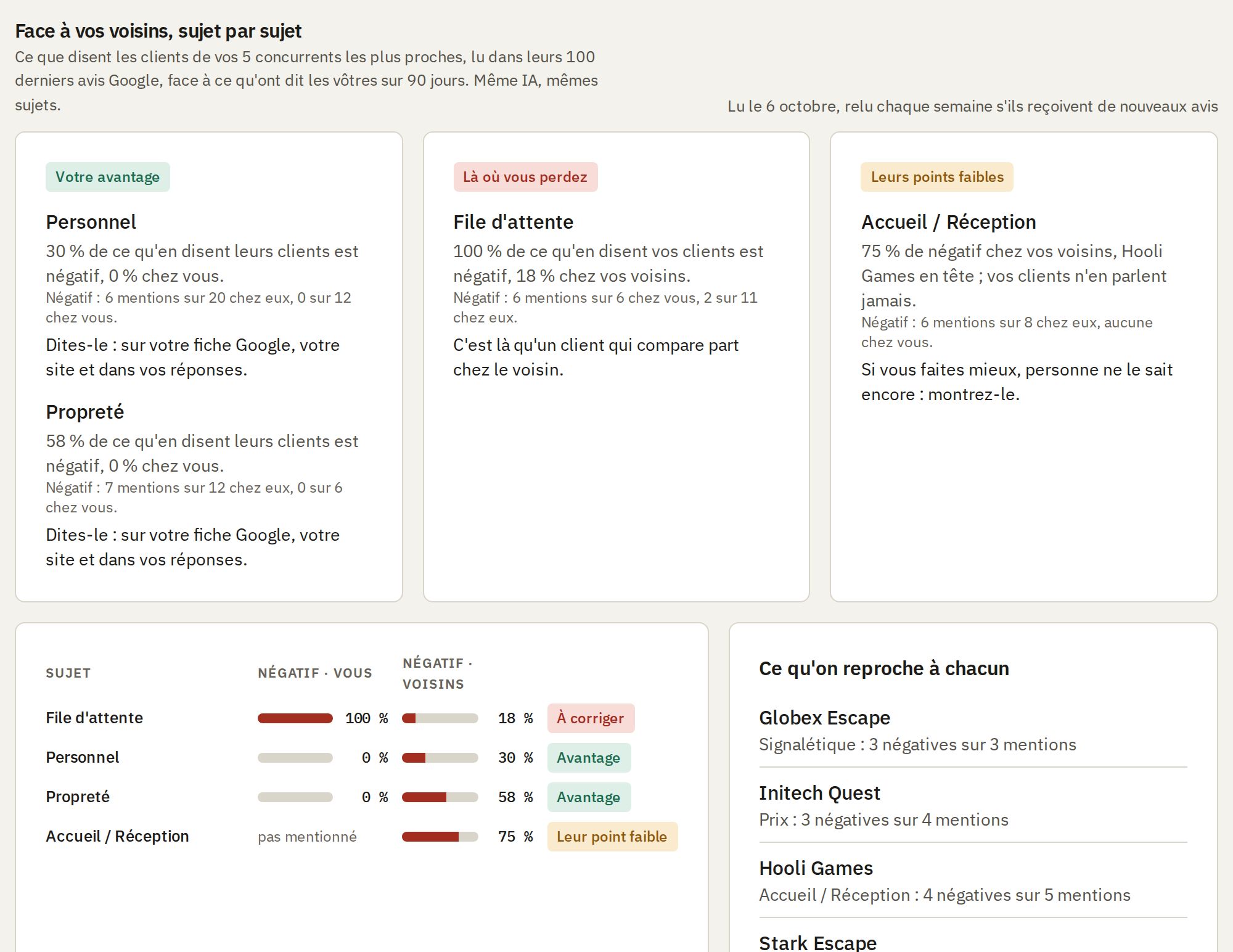 Where you lose, where you win, and what each neighbour is criticised for.
Friday: a question for Hector
“Why is my rating falling?”, “What do my competitors’ customers complain about?”: Hector answers your questions about your reviews, in your own words, like a colleague who had read them all. Every figure in its answer is computed by 123Hector from your reviews, never written by the AI, and every sentence is checked against those figures before it is shown.
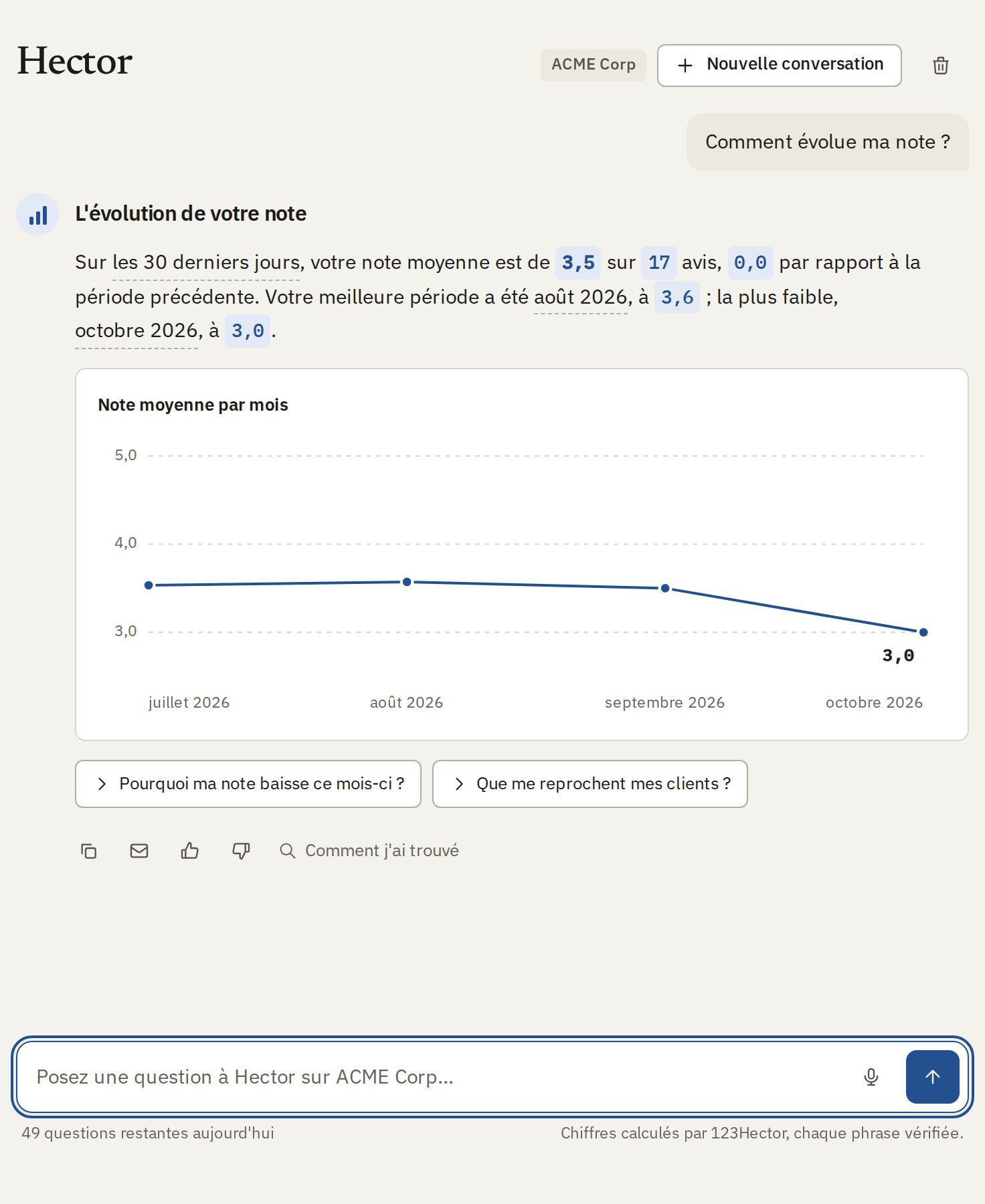 An answer from Hector: the chart, the reviews behind it, the next questions.
Saturday: the QR code at the till
Fewer reviews means a rating that moves with every unhappy customer. The QR code stickers send your customers to a page offering Google and Tripadvisor, the same for everyone. Our advice for getting the most out of them is in our article on getting more Google reviews.
The 1st of the month: the report
The past month fits on one page: whether it went well and why, what to do in the month that starts, and the year around it. It downloads as a PDF, and a read-only share link lets you send it to a partner or an owner, without an account; it counts its views and can be revoked at any time.
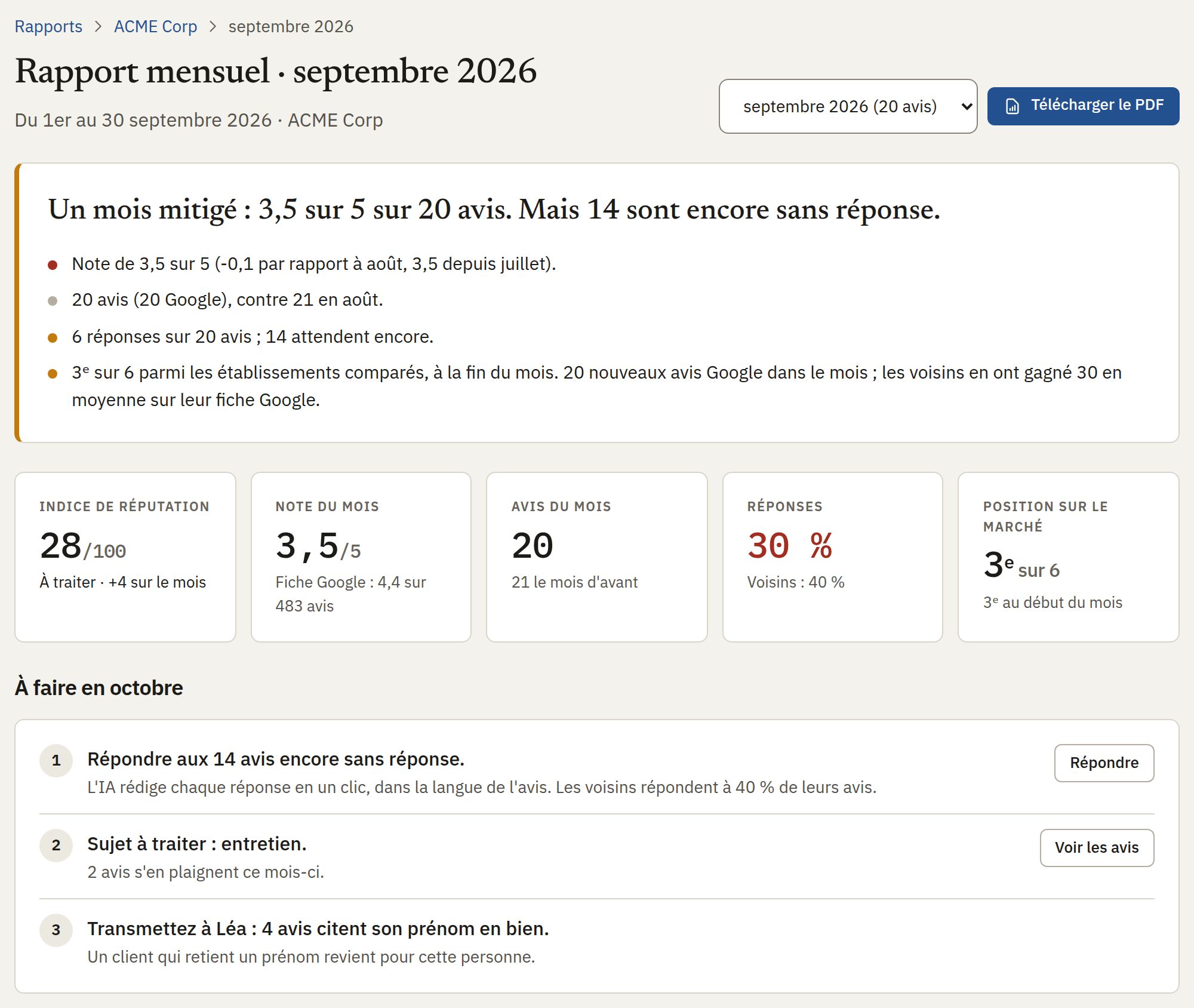 September’s report: the rating, the reviews, the replies and the place in the market.
And fake reviews?
A burst of 1-star ratings in one night, accounts with no other review, a review about another venue: 123Hector spots these signs, marks the review “Suspect” with its reasons, and prepares the report to Google. It is all explained in our article on fake reviews.
To try it
The free audit does part of this work on your recent Google reviews, without an account or access to your listing: it reaches you by email within minutes. For everything else, the free trial needs no card.
Want to see what your reviews say?
Get a free AI-powered audit of your venue's online reviews. No credit card required.
Get your free auditKeep reading
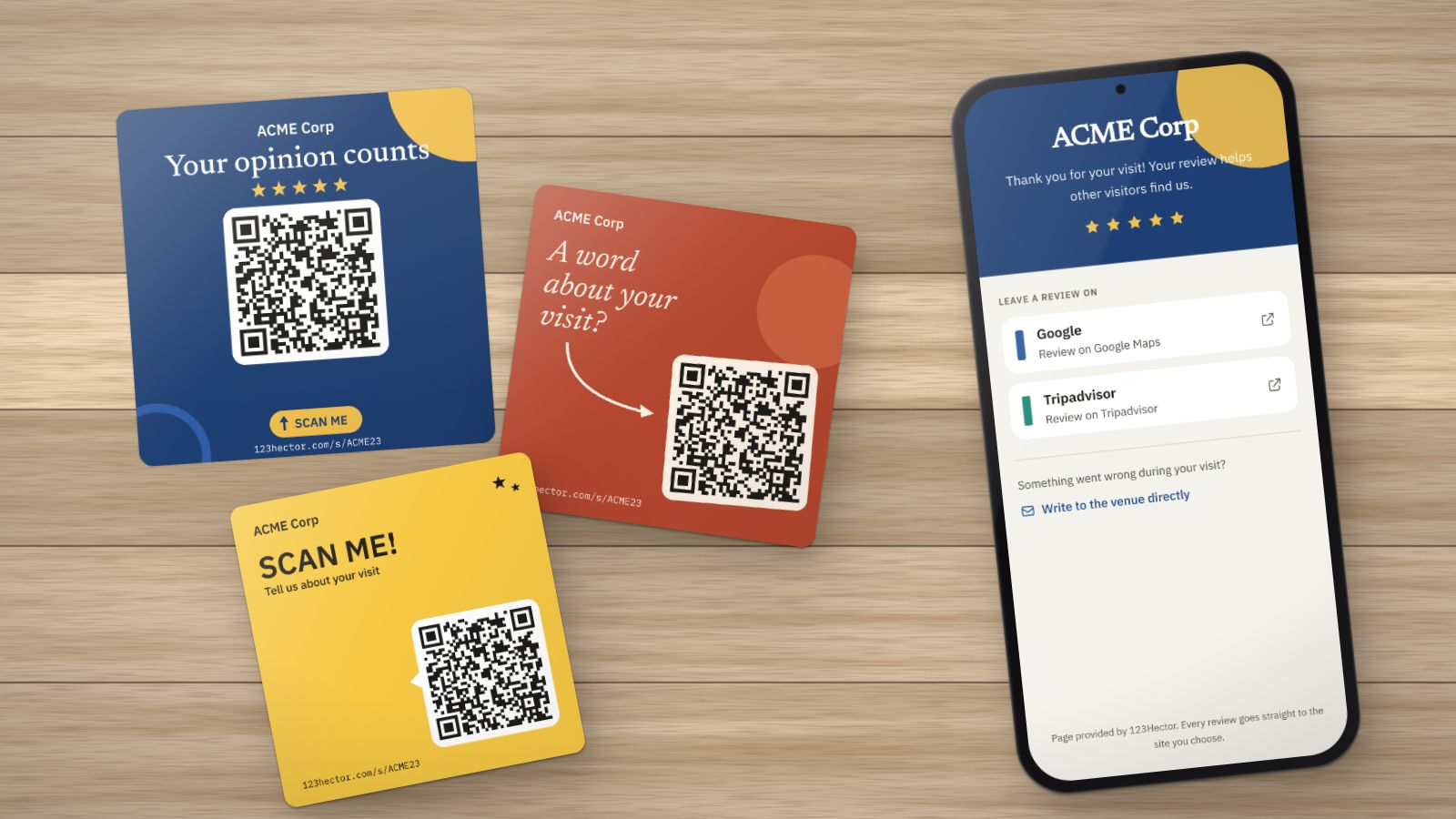
How to get more Google reviews: 8 methods that work (and 3 that are banned)
Ask at the right moment, in the right place, with the right link: the methods that bring Google reviews to a visitor attraction or leisure venue, without buying them or sorting customers. And what Google and the law forbid.
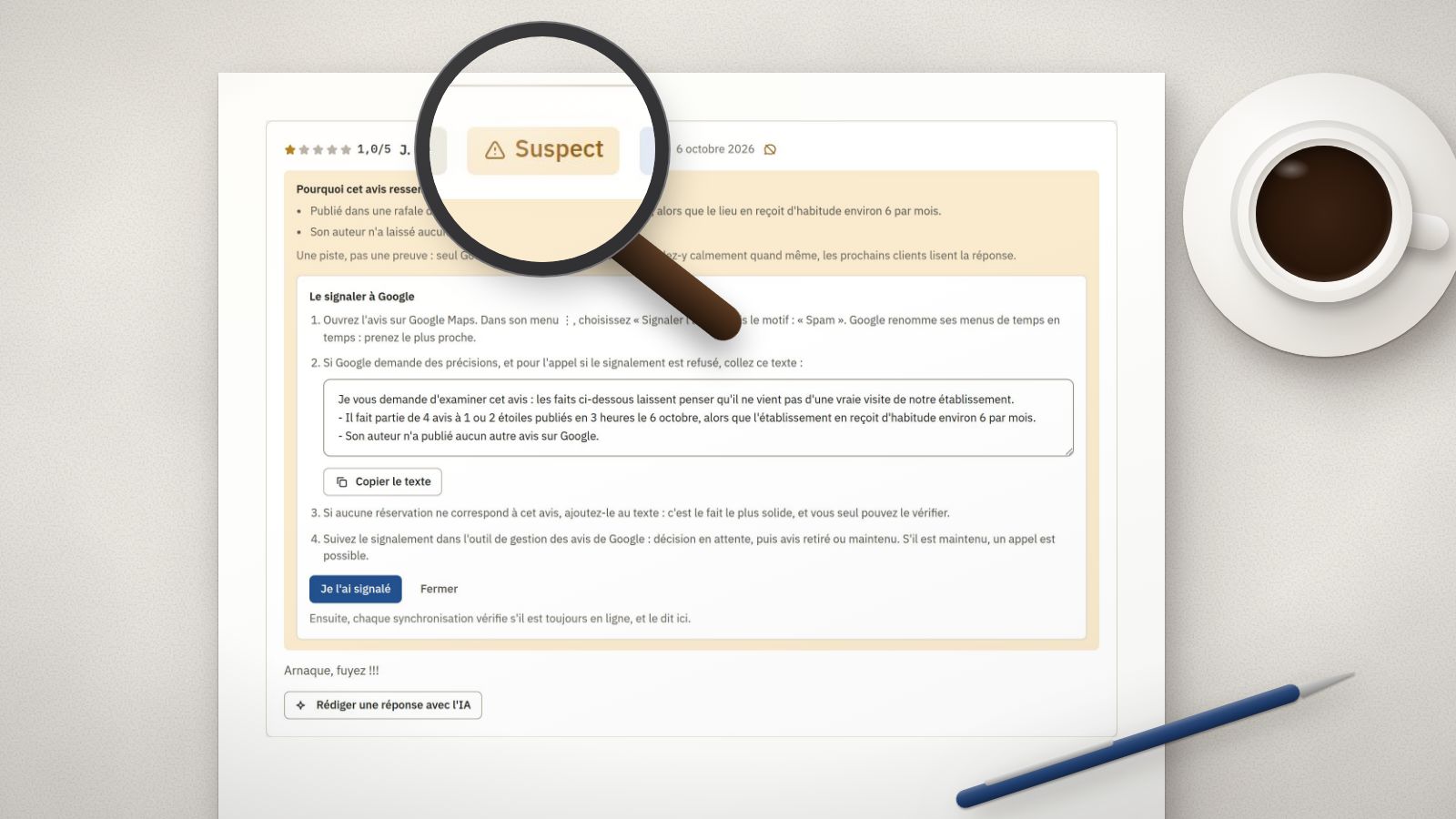
Fake Google reviews: how to spot them, report them and reply
A burst of 1-star ratings in one night, an account with no other review, a text about another place: the signs of a fake review, the steps to report it to Google, and the reply to publish meanwhile.
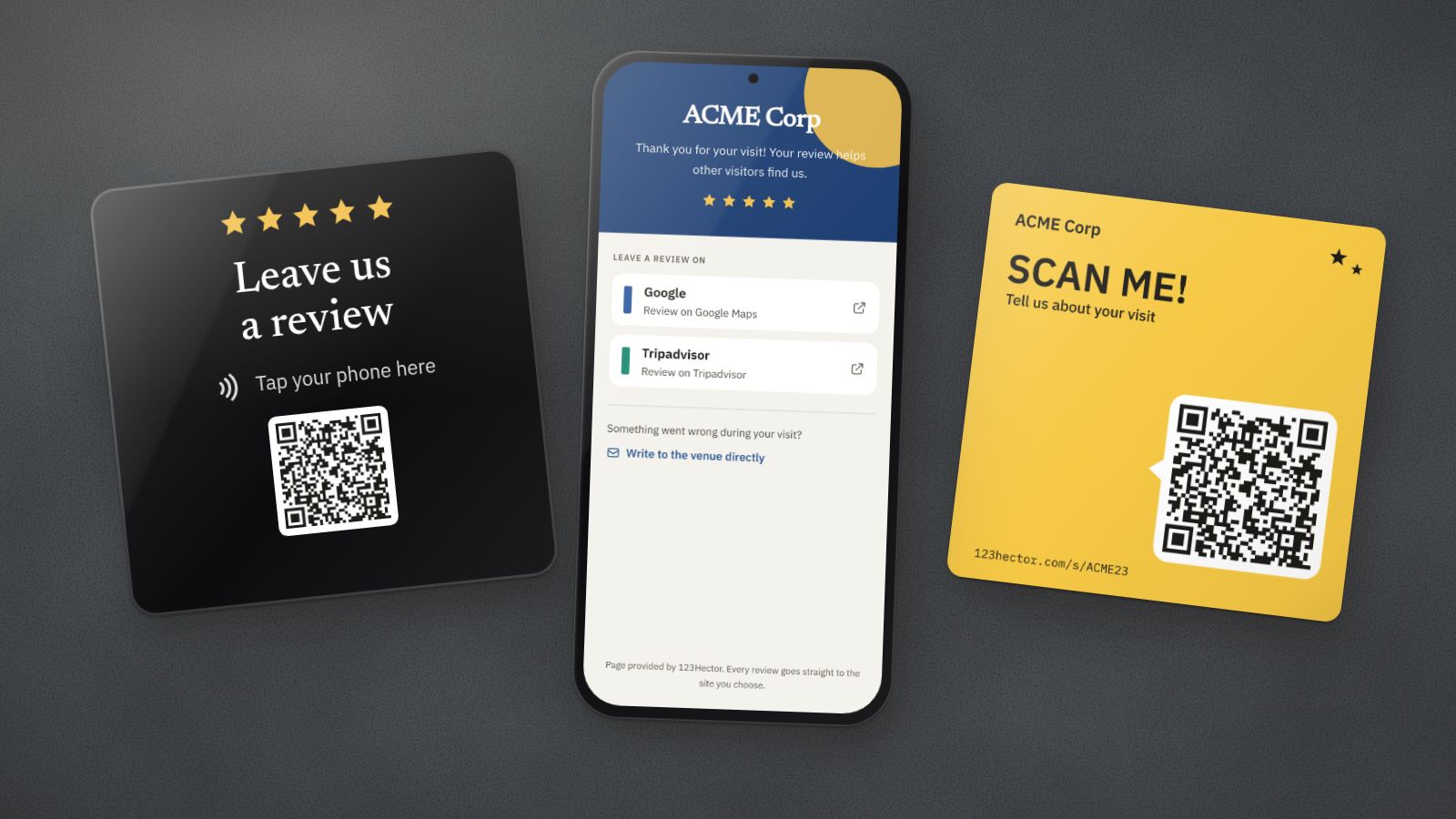
NFC plaque or QR code for Google reviews: which one to choose?
The NFC plaque promises reviews with a single tap; the QR code costs next to nothing. What each one really does, where it fails, and what matters more than the medium: the spot, the ask and the page that opens.